Pleasanton Virtual School Enrollment
PowerSchool Account Creation (Required for Online Enrollment)
-
PowerSchool Account Creation Required for Enrollment
A PowerSchool parent account is required for online enrollment. If you do not currently have an account set up, please follow the steps below and then begin online enrollment at the right
Step-by-step PowerSchool parent account set-up:
- Go to PowerSchool
- Create an account
- Enter parent details
- Add students (Please contact either Ginger Mattingley or Shawn Conley for Access ID/Password)
Ginger Mattingley 913-352-8534, ginger.mattingley@usd344.org or Shawn Conley 620-238-5808, shawn.conley@usd344.org - Verify your email (Email must be verified before logging in with your password will work)
**Please reference the slides below or view this pdf for more information or contact us for support! The video below also explains the account set-up process in detail.
Virtual School Enrollment (Returning Students)
ONLINE ENROLLMENT INSTRUCTIONS
**Please reference the slides below or view this pdf for more information or contact us for support!
Step-by-Step Online Enrollment:
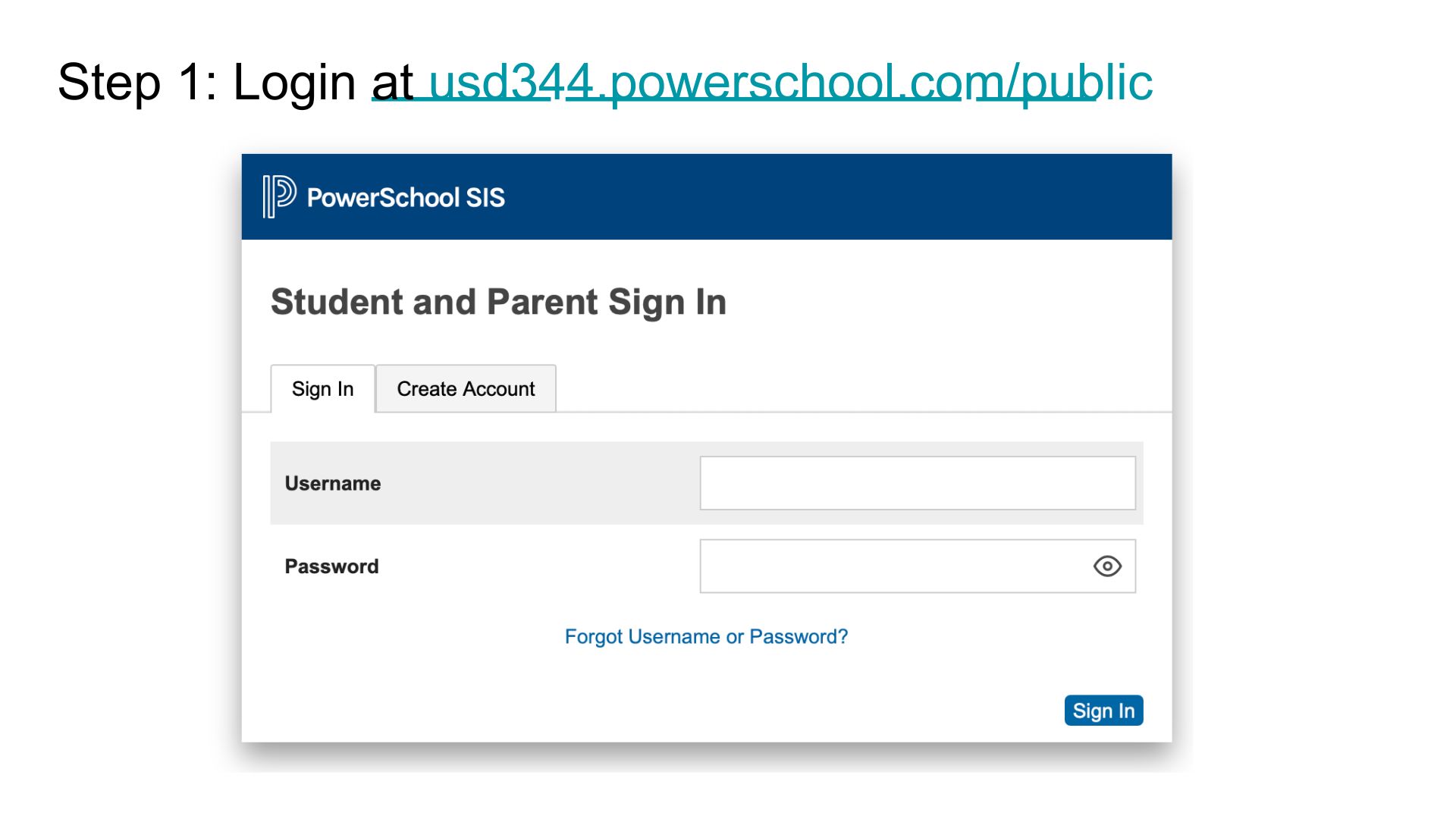
- Go to PowerSchool and login
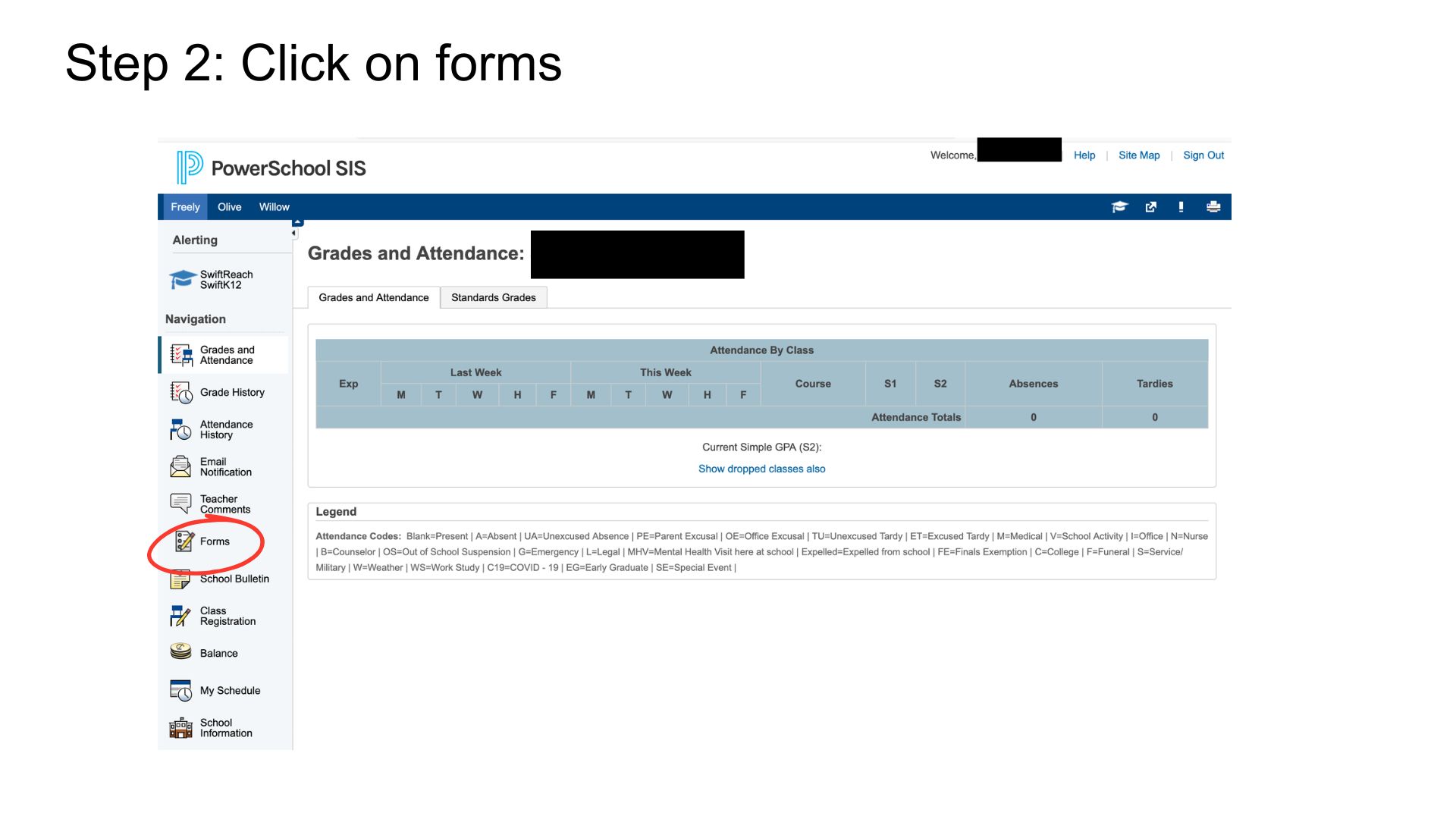
- Click on forms
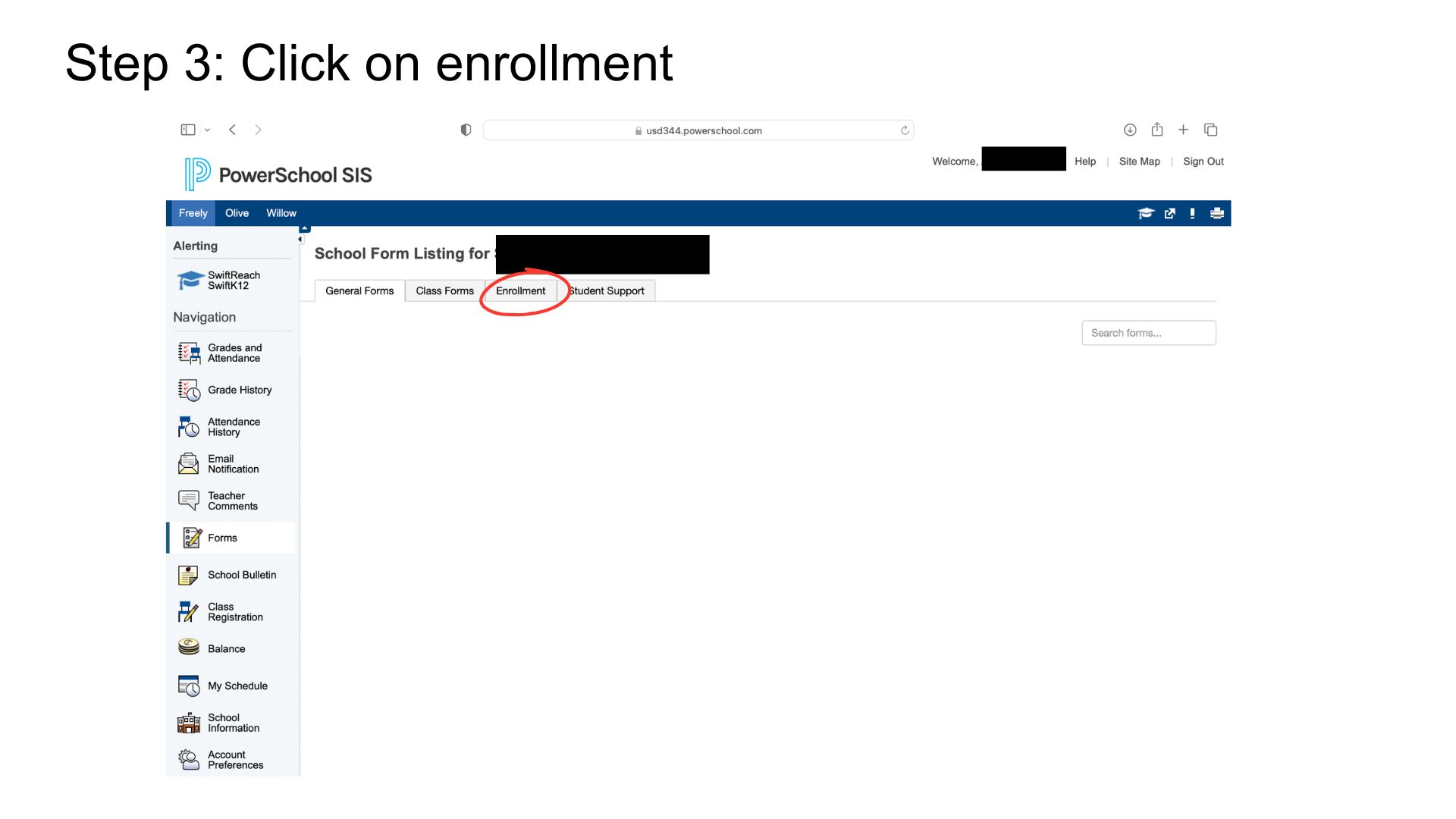
- Click on enrollment
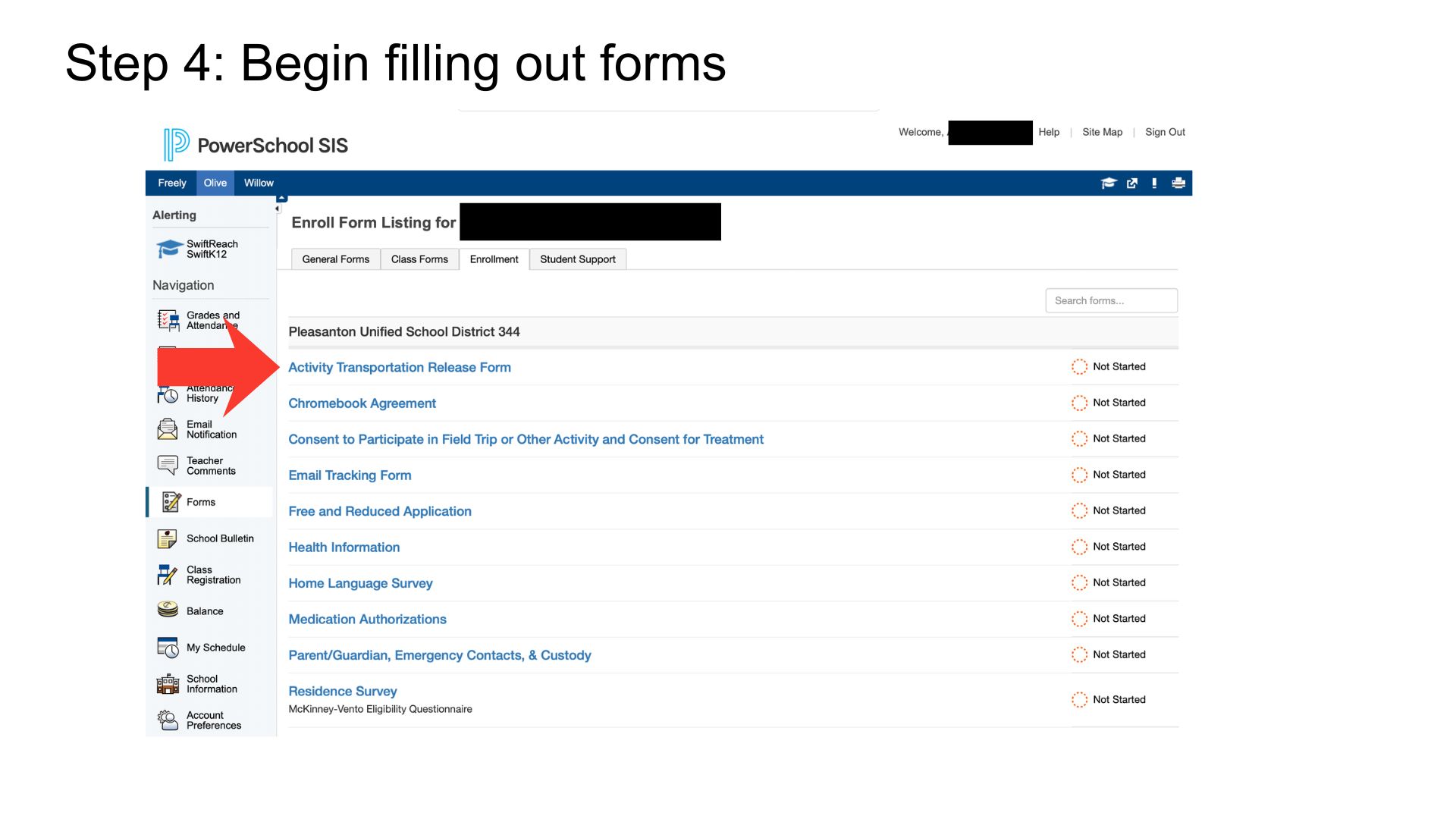
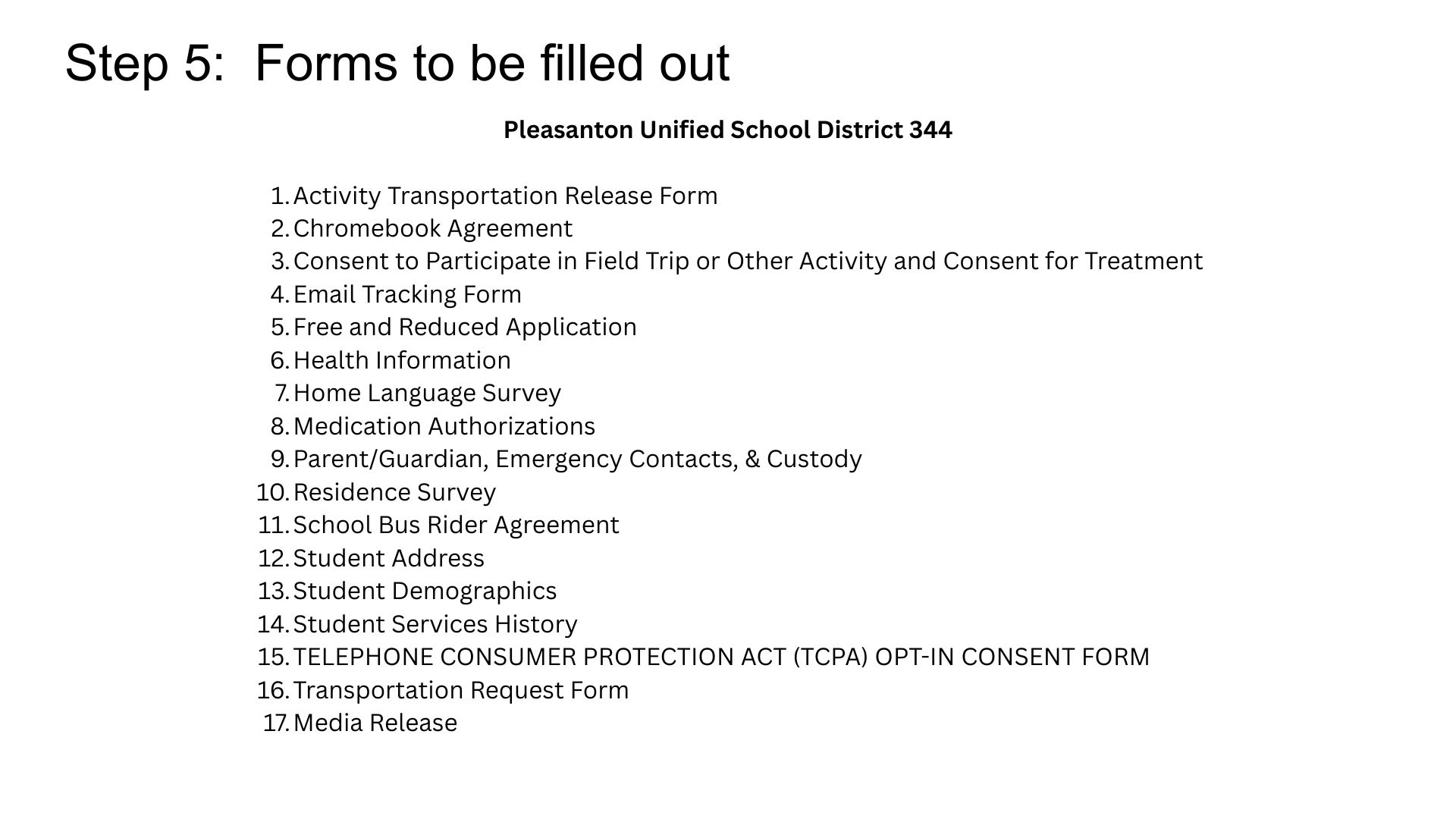
- Begin filling out forms (there are 17 total)
- There are 17 forms to complete
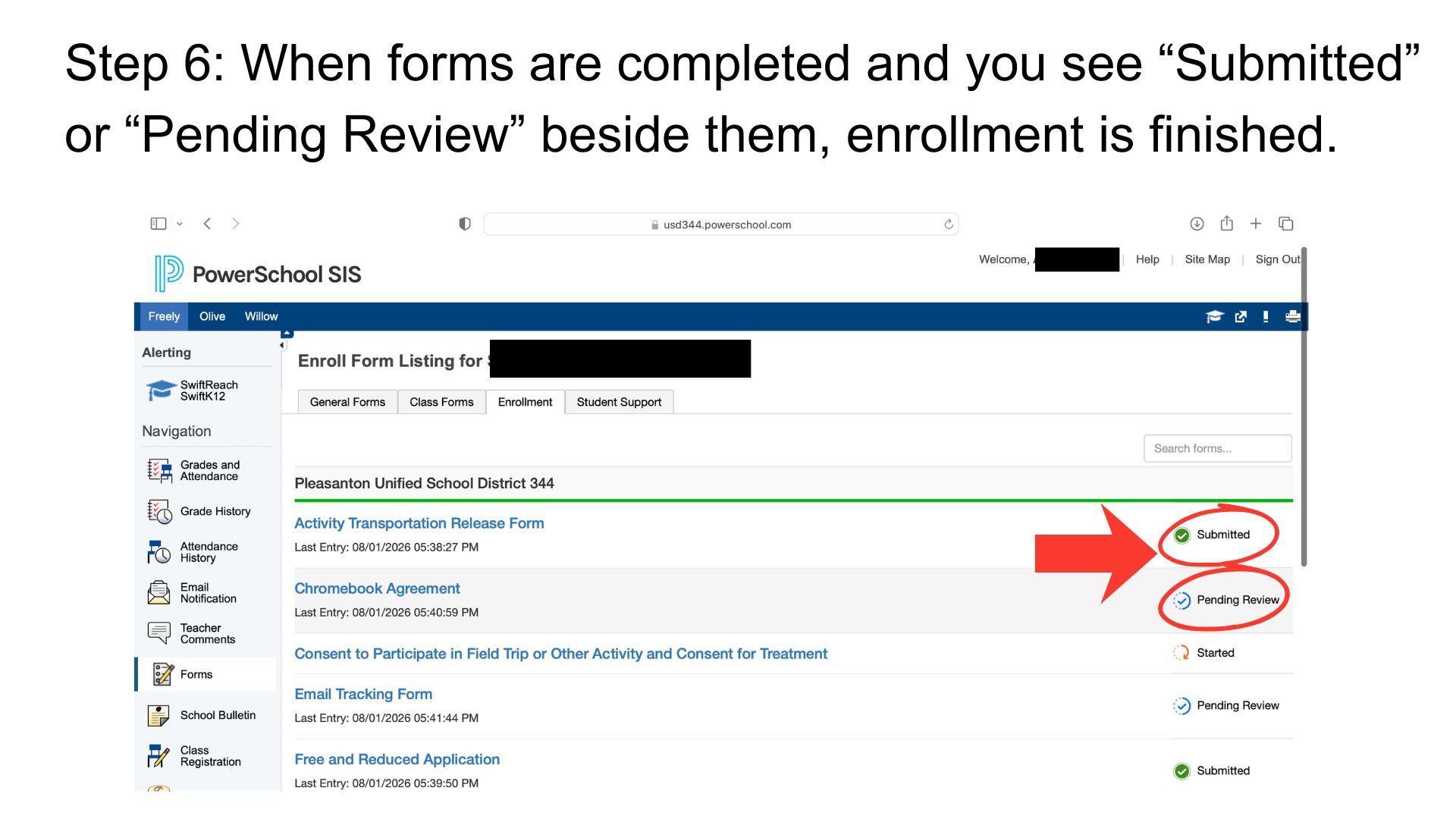
- When forms are completed and you see “Submitted” or “Pending Review” beside them, enrollment is finished.
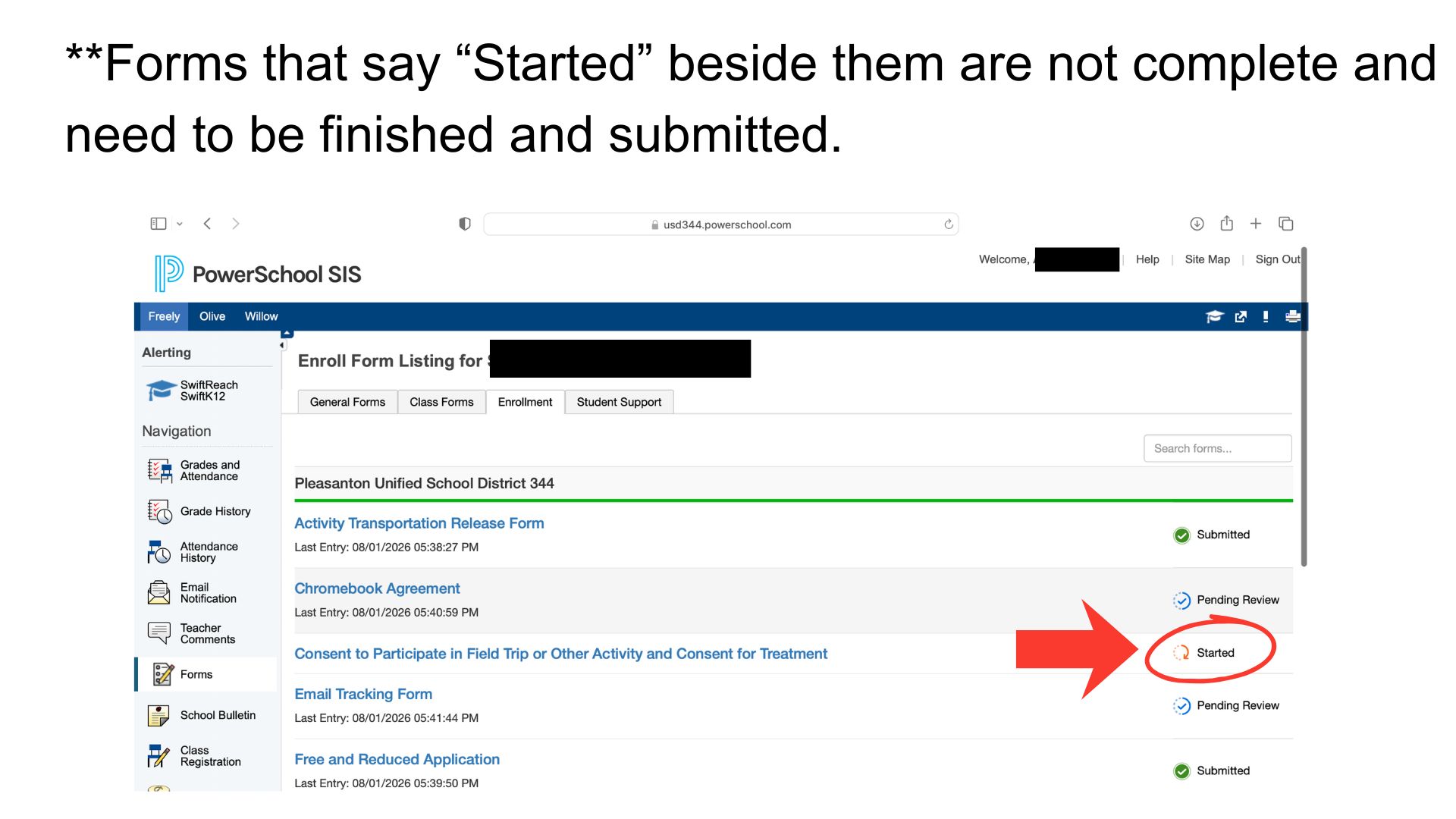
*Forms that say “Started” beside them are not complete and need to be finished and submitted.
Enrollment documents required for new students can be brought to the appropriate office during office hours.